WhatsApp Broadcast vs WhatsApp API: Which is Best for Your India Biz?
Deciding between WhatsApp Broadcast and API? Broadcast is free for basic messaging, while API offers advanced automation and integration for 5+ users. Learn the 3 key differences.


For Indian business owners, WhatsApp is often the first, best way to connect with customers. But when it comes to mass communication, you face a critical choice: use the basic WhatsApp Broadcast feature or step up to the WhatsApp Business API. The WhatsApp Broadcast feature is ideal for small businesses needing simple, one-way messages to limited contacts, while the WhatsApp Business API is essential for scalable, automated, two-way communication integrated with your CRM for serious lead management.
This decision isn't just about features; it's about your business's scale, your team size, and how seriously you take lead follow-up. Choose Broadcast if you're a solo entrepreneur with a small contact list; opt for the API if you have a sales team, manage many leads, and need automation to convert enquiries into revenue.
WhatsApp Broadcast vs. WhatsApp API: A Side-by-Side Look
| Feature | WhatsApp Broadcast (via WhatsApp Business App) | WhatsApp Business API (via 3rd-party platform like OpsLoop) |
|---|---|---|
| Cost | Free (using WhatsApp Business App) | Platform fees (e.g., flat monthly, per-seat) + Meta per-conversation charges (Marketing ₹1.09, Utility ₹0.145) |
| Setup | Instant (download app) | Requires WABA approval, platform integration, template approvals (can take 1-3 days) |
| Audience Limit | 256 contacts per broadcast list | Unlimited (depends on platform capabilities) |
| Automation | Manual sending only, basic auto-replies | Advanced auto-follow-ups, chatbots, sequences, CRM workflows |
| Integration | None (standalone app) | Integrates with CRM, lead management systems, other business tools |
| Engagement | One-way, limited context | Two-way, rich media, threaded conversations, full lead history |
| Official Status | No Green Tick possible | Eligible for Green Tick (Official Business Account) |
| Analytics | Basic message delivery reports | Detailed delivery, read, reply rates, conversion metrics |
| Team Usage | Limited to 1-2 users (on one device) | Multiple agents, shared inbox, lead assignment, team collaboration |
| Use Case | Small updates, local promotions | Lead nurturing, sales follow-ups, customer support, marketing campaigns |
Dimension-by-Dimension Comparison
1. Pricing: Free vs. Scalable Investment
WhatsApp Broadcast (via WhatsApp Business App): This is the ultimate low-cost option because it's free. You download the WhatsApp Business App, create broadcast lists, and send messages. The only cost is your data plan. This makes it perfect for very small businesses or solo entrepreneurs who need to send occasional updates to a limited audience without any budget for tools.
WhatsApp Business API: This is where costs become a strategic investment. You're not just paying for messages; you're paying for a platform that uses the API to deliver advanced capabilities. Here’s how it breaks down:
- Platform Fees: Providers like OpsLoop offer flat monthly pricing per team-size band. For example, OpsLoop's Starter plan for 1-3 counsellors is ₹3,000/month, Growth for 4-8 counsellors is ₹5,000/month, and Scale for 9-15 counsellors is ₹6,999/month (excluding GST). Other platforms might charge per-user (like Zoho CRM or LeadSquared) or hybrid models (like Interakt, WATI, AiSensy, DoubleTick which combine a base fee with per-message costs).
- Meta Per-Conversation Charges: This is a crucial component. Meta charges per 24-hour conversation window, categorized as marketing, utility, or service. As of early 2026, marketing conversations cost about ₹1.09, utility ₹0.145, and service conversations are free. These charges are on top of your platform fees. If you send 1,000 marketing messages a month, that's an additional ₹1,090 from Meta.
- Setup Fees: Some platforms, including OpsLoop, have a one-time setup fee (₹5,000 for OpsLoop) for WABA account setup, AI brain setup, automation journeys, and WhatsApp template setup. This ensures your API is properly configured from day one.
Pricing Math at Scale (Illustrative Example for a Lead-Driven Business):
Let's consider a coaching institute with a sales team managing leads and sending automated follow-ups.
| Scenario | WhatsApp Broadcast (Business App) | WhatsApp Business API (via OpsLoop Growth Plan) |
|---|---|---|
| Team Size | 1-2 users | 5 users (within 4-8 counsellor band) |
| Monthly Leads | 50 (managed manually) | 1,000 |
| Outbound WhatsApp Messages | 150 (manual, to 256 contacts max) | 2,000 (template messages for follow-ups) |
| Inbound WhatsApp Replies | 50 | 500 |
| Platform Cost | ₹0 | ₹5,000/month (OpsLoop Growth) |
| Meta Conversation Charges | ₹0 | ~₹2,180 (2,000 marketing messages @ ₹1.09) |
| Total Monthly Cost (Approx.) | ₹0 | ₹7,180 (excluding GST and setup fee) |
This example highlights that while the API has a cost, it enables a scale of operation (1,000 leads, 2,000 messages) that is impossible with Broadcast. It's an investment in automation and lead conversion, especially when you consider the cost of missed leads due to manual follow-ups.
2. WhatsApp Depth: Basic Messaging vs. Automated Workflows
WhatsApp Broadcast: This is essentially a glorified group chat where only you can send messages. You select up to 256 contacts from your phone, compose a message, and send it. It's great for simple announcements, festive greetings, or quick updates to a small, known audience. However, it's a one-way street. You can't automate follow-ups, track responses systematically, or integrate it with your lead funnel. You're limited to basic text messages, and managing replies becomes a manual chore.
WhatsApp Business API: This is where the real power for lead-driven businesses lies. The API allows you to:
- Send Approved Template Messages: These are pre-approved messages for common use cases (e.g., welcome messages, payment reminders, appointment confirmations). They ensure consistency and compliance. OpsLoop helps you set these up and use them in automated sequences.
- Rich Media & Interactive Messages: Go beyond text. Send brochures, price lists, images, videos, or PDFs directly within automated sequences. You can also use interactive messages with quick reply buttons or list messages, allowing customers to choose options (e.g., "Book a demo," "See pricing," "Talk to agent") for faster qualification and engagement.
- Automated Follow-Up Sequences: This is critical for lead conversion. With the API, you can set up automated sequences that send messages at specific intervals, based on lead behavior or pipeline stage. For example, a lead who doesn't respond to a call could automatically receive a WhatsApp message with a link to a brochure or a quick question to re-engage them. This ensures no lead is forgotten.
- Two-Way, Threaded Conversations: All conversations are kept in a single thread, providing full context. This means any agent can pick up a conversation knowing the entire history, which is impossible with the basic Broadcast feature.
3. Setup & Scalability: Instant vs. Integrated
WhatsApp Broadcast: Setup is instant. You download the WhatsApp Business App, register your number, and you're ready to go. The challenge comes with scale. You're limited to one device, one user (or two, if you count linked devices), and a maximum of 256 contacts per broadcast list. As your business grows, this becomes a bottleneck, forcing manual list management and making it impossible to handle hundreds of leads efficiently.
WhatsApp Business API: The setup for the API takes a bit more effort upfront. It involves:
- WhatsApp Business Account (WABA) Approval: Your business needs to be verified by Facebook Business Manager, which confirms your business identity.
- Platform Integration: You connect the API to a third-party platform like OpsLoop. This integration allows the platform to send and receive messages on your behalf and link them to your CRM.
- Template Approvals: Any outbound message that isn't a direct reply to a customer (i.e., a marketing or utility message) needs to be pre-approved by Meta. This process typically takes a few hours to a day.
While this initial setup can take 1-3 days with OpsLoop (including WABA and template setup for ₹5,000), once it's done, the system scales infinitely. You're no longer limited by devices or contact lists, ready to handle thousands of leads and messages.
4. Team Collaboration & CRM Integration: Solo Effort vs. Coordinated Sales
WhatsApp Broadcast: This is a tool for individual use. If you have a team, each person uses their own phone and WhatsApp Business App. There's no shared inbox, no way to assign leads, no visibility into who said what to whom. This leads to missed follow-ups, duplicate efforts, and a complete lack of oversight for the business owner. It's impossible to run a coordinated sales or operations effort this way.
WhatsApp Business API: This is designed for teams. A platform integrated with the API (like OpsLoop) provides:
- Unified Inbox: All incoming WhatsApp messages from leads land in a single, shared inbox. Any authorized agent can access it.
- Lead Assignment & Ownership: Leads can be automatically or manually assigned to specific agents. This ensures clear ownership and accountability.
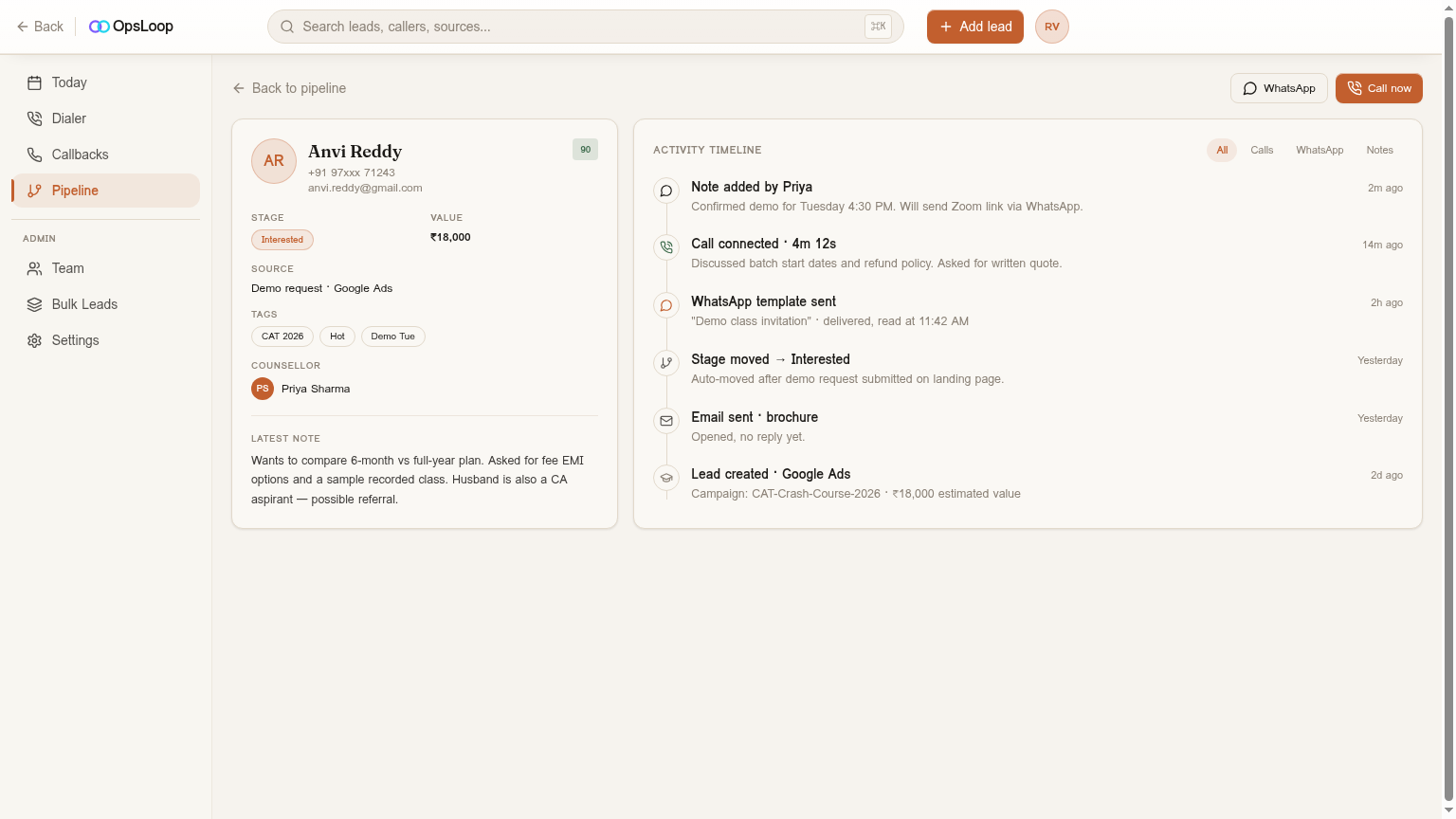
- Shared Notes & Activity Timelines: Agents can add notes to lead profiles, see the full communication history (calls, emails, WhatsApp messages), and understand the lead's journey. This prevents leads from falling through the cracks if an agent is unavailable.
- CRM Integration: The API connects directly to your CRM, making WhatsApp conversations a seamless part of your lead management process. You can trigger automations, update lead stages, and track conversion rates directly from WhatsApp interactions. This is crucial for stopping lead leakage and ensuring every enquiry is followed up effectively. For Indian SMBs, integrating WhatsApp directly into a CRM for WhatsApp Leads is a game-changer.
5. Analytics & Reporting: Simple Receipts vs. Actionable Insights
WhatsApp Broadcast: Your analytics are limited to basic delivery and read receipts visible on your phone. You can't track how many people opened your message, how many replied, or which messages performed best. This means you're operating blind, unable to optimize your communication strategy.
WhatsApp Business API: With the API and a platform like OpsLoop, you get comprehensive analytics and reporting:
- Delivery & Read Rates: See exactly how many messages were delivered and read, allowing you to gauge reach.
- Reply & Conversion Rates: Track how many leads responded to specific messages or campaigns, and ultimately, how many converted into sales. This lets you identify effective messaging.
- Agent Performance: Monitor individual agent response times, conversion rates from WhatsApp, and overall activity. This helps you identify top performers and areas for coaching.
- Owner Dashboard: Tools like OpsLoop provide an owner dashboard with funnel conversion rates, rep leaderboards, and source ROI, giving you a clear picture of your lead operations and where your ad spend is actually converting.
Verdict by Use-Case
Choose WhatsApp Broadcast if:
- You're a solo entrepreneur or a very small business (1-2 people).
- Your contact list is small (under 256 contacts) and static.
- You only need to send simple, one-way updates or promotions (e.g., a local kirana store sending daily offers, a solo tuition teacher sending exam reminders).
- You don't need automation, CRM integration, or detailed performance tracking.
- Your budget for communication tools is ₹0.
Choose WhatsApp Business API if:
- You have a sales or operations team (2+ people, ideally 5+ for maximum ROI).
- You manage a significant volume of leads (hundreds to thousands) and need to scale your communication.
- You require automated follow-up sequences, chatbots, and rich media in your messages.
- You need to integrate WhatsApp with your CRM for lead management, shared inboxes, and team collaboration.
- You want detailed analytics to optimize your campaigns and agent performance.
- You are a lead-driven business (e.g., coaching institutes, real estate, lending, EdTech) where timely and structured follow-up directly impacts revenue.
Where OpsLoop Fits In (Disclosure: OpsLoop is our product)
OpsLoop is built specifically for Indian businesses that are serious about converting leads, making full use of the WhatsApp Business API's capabilities. It provides a flat-rate CRM + WhatsApp lead-ops platform, meaning your bill doesn't jump every time you hire a new caller or send more messages (beyond Meta's conversation charges). We focus on enabling automated WhatsApp follow-up sequences, a unified inbox for all lead communications, and approved template messages, all within a CRM framework. This helps you manage your pipeline effectively, ensure timely responses, and audit for lead leakage – critical for businesses in India where WhatsApp is the primary communication channel. We are not designed for bulk marketing newsletters, but for 1:1 lead nurturing and conversion.
Further Reading
- WhatsApp Template Message Examples for Indian Businesses
- How to Get Green Tick on WhatsApp Business in India (2026 Guide)
- See OpsLoop pricing
- CRM for WhatsApp Leads in India
Ready to scale your WhatsApp lead operations and stop missing out on revenue? See how OpsLoop can streamline your follow-ups and convert more enquiries.
Further reading
FAQ
Frequently asked
What is the main difference between WhatsApp Broadcast and WhatsApp API?
WhatsApp Broadcast is a feature within the free WhatsApp Business App for sending one-way messages to up to 256 contacts. WhatsApp API is a robust interface for businesses to integrate WhatsApp with other systems like CRMs, enabling advanced features, automation, and unlimited audience reach, but it requires a third-party platform and incurs Meta's conversation charges.
When should an Indian SMB use WhatsApp Broadcast?
An Indian SMB should use WhatsApp Broadcast if they are a very small business (1-2 users), have a limited contact list (under 256), primarily need to send simple, one-way updates or promotions, and don't require automation, CRM integration, or detailed analytics for lead management.
What are the costs associated with WhatsApp Business API in India?
Costs for WhatsApp Business API in India include platform fees (e.g., OpsLoop's flat monthly price or per-seat/hybrid models from other providers) and Meta's per-conversation charges (₹1.09 for marketing, ₹0.145 for utility, service messages free from Meta as of early 2026). Some platforms also charge a one-time setup fee for WABA and template configuration.
Can I integrate WhatsApp Broadcast with my CRM?
No, WhatsApp Broadcast is a standalone feature of the WhatsApp Business App and cannot be integrated with a CRM. For CRM integration, automated follow-ups, and managing lead conversations at scale, you need to use the WhatsApp Business API through a CRM or a dedicated WhatsApp marketing platform.
Is it possible to get a Green Tick (Official Business Account) with WhatsApp Broadcast?
No, the Green Tick (Official Business Account) is exclusively available for businesses using the WhatsApp Business API. It signifies that WhatsApp has verified the business, adding credibility and trust. Businesses using only the WhatsApp Business App (and thus Broadcast) cannot apply for a Green Tick.
How does OpsLoop use WhatsApp API?
OpsLoop leverages the WhatsApp Business API to provide automated WhatsApp follow-up sequences, a unified inbox for all lead communications, and approved template messages within a CRM framework. It's designed for lead-driven Indian businesses to manage their pipeline effectively, ensure timely responses, and audit for lead leakage, rather than just sending bulk marketing messages.
READ NEXT
WhatsApp Template Message Examples for Indian Businesses
Boost customer engagement with 10+ proven WhatsApp template message examples designed for Indian SMBs. Learn to send aut…
Bulk WhatsApp Message Sender Without Ban: Your India Guide
Avoid WhatsApp bans while sending bulk messages. Learn 5 key strategies and discover compliant tools for Indian business…
Best CRM for DSA Loan Agents in India (2026 Review)
Find the best CRM for your DSA loan agency in India. We review 7 top tools and compare pricing to help you manage every …
Try OpsLoop free for 14 days
Flat team plans from ₹3,000/month. No per-seat fees. No card to start.